 Something that freaks me out more than anything online is seeing some of my websites or pages disappearing from Google’s index from time to time. There is generally a good reason for that to happen and troubleshooting the issue quickly and thoroughly can help you save tons of “leaking traffic”. I had a similar problem over the weekend. Let me tell you what happened and how I fixed it.
Month: May 2009
 A few months ago, I finally took the the plunge by quitting my full time job in order to focus 100% on my internet business, and so far, I have to admit it is the best decision I ever made: I don’t have anyone to report to anymore; I don’t have a schedule; I do what I want; and I can work from anywhere in the world. The best is, I make about as much (maybe more) than I did in my full time job. Looks great on the paper, doesn’t it? But is it as great as it seems to be?
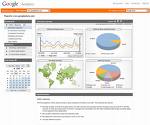 If you use Google Analytics to track your websites stats, you have probably realized that Google doesn’t let you see the full URL of the sites referring traffic to you. That’s a basic feature that somehow is not included in GA but fortunately for us, there is a simple trick you can implement to display the full URL of the referring site.

I want to talk to you about how I am extending one of my products to different niches. By the way, this post is for people interested in web/affiliate marketing. If you’re not into it, you will find this post worthless.